Now live Available on Google Play
New 30 days of Pro free for every new store
Cloud Point-of-Sale · Philippines

The POS built for
Filipino
businesses

HuggsPOS runs on any phone, tablet, or computer. No expensive hardware. No tech degree needed. Just sign up and start selling — in minutes.

Free tier — no credit card Web + Mobile app PHP peso pricing
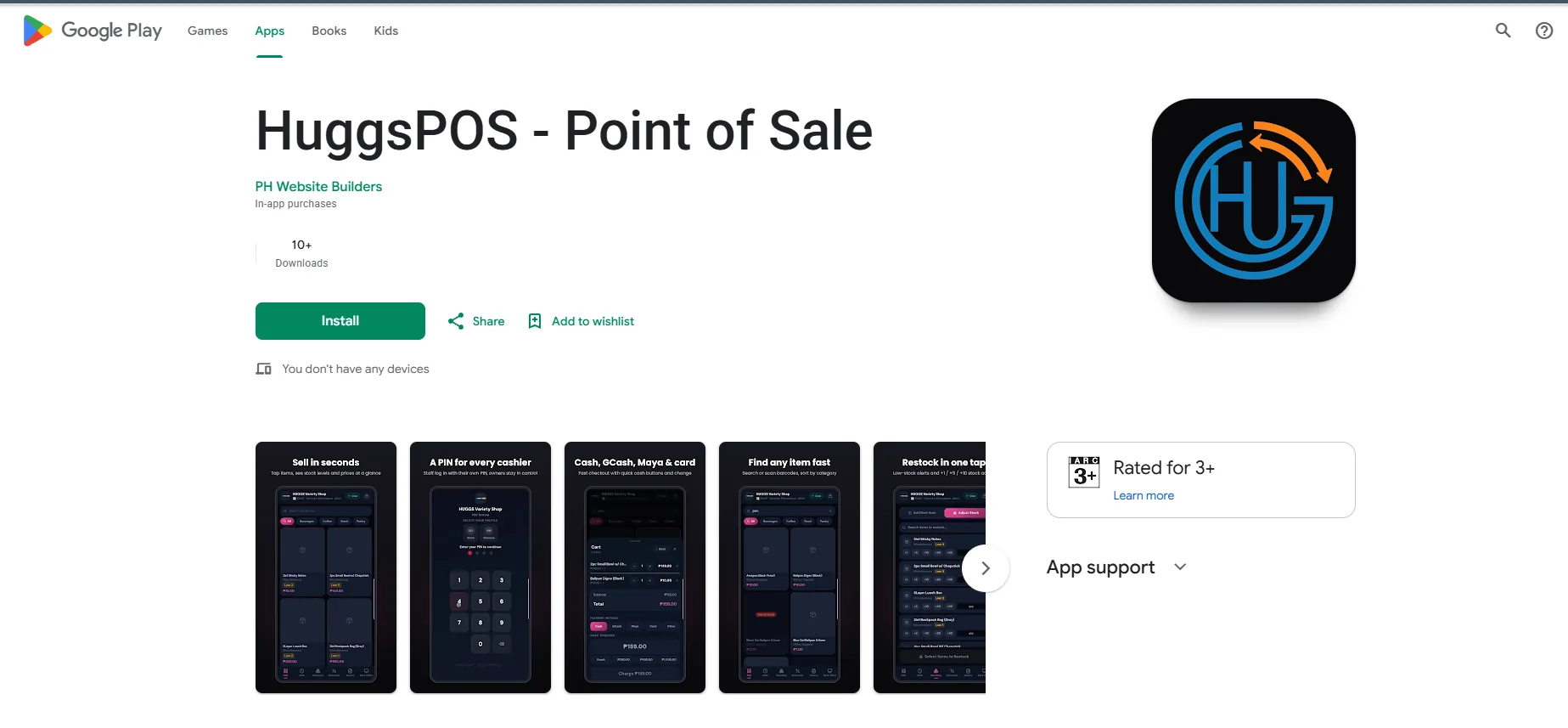
Get it on Google Play Android app now live.
Also works in any browser.
Live Demo

Free

Forever Tier

Any Device

No hardware needed

PHP ₱

Local currency built-in

Real-time

Cloud sync

New · Android app

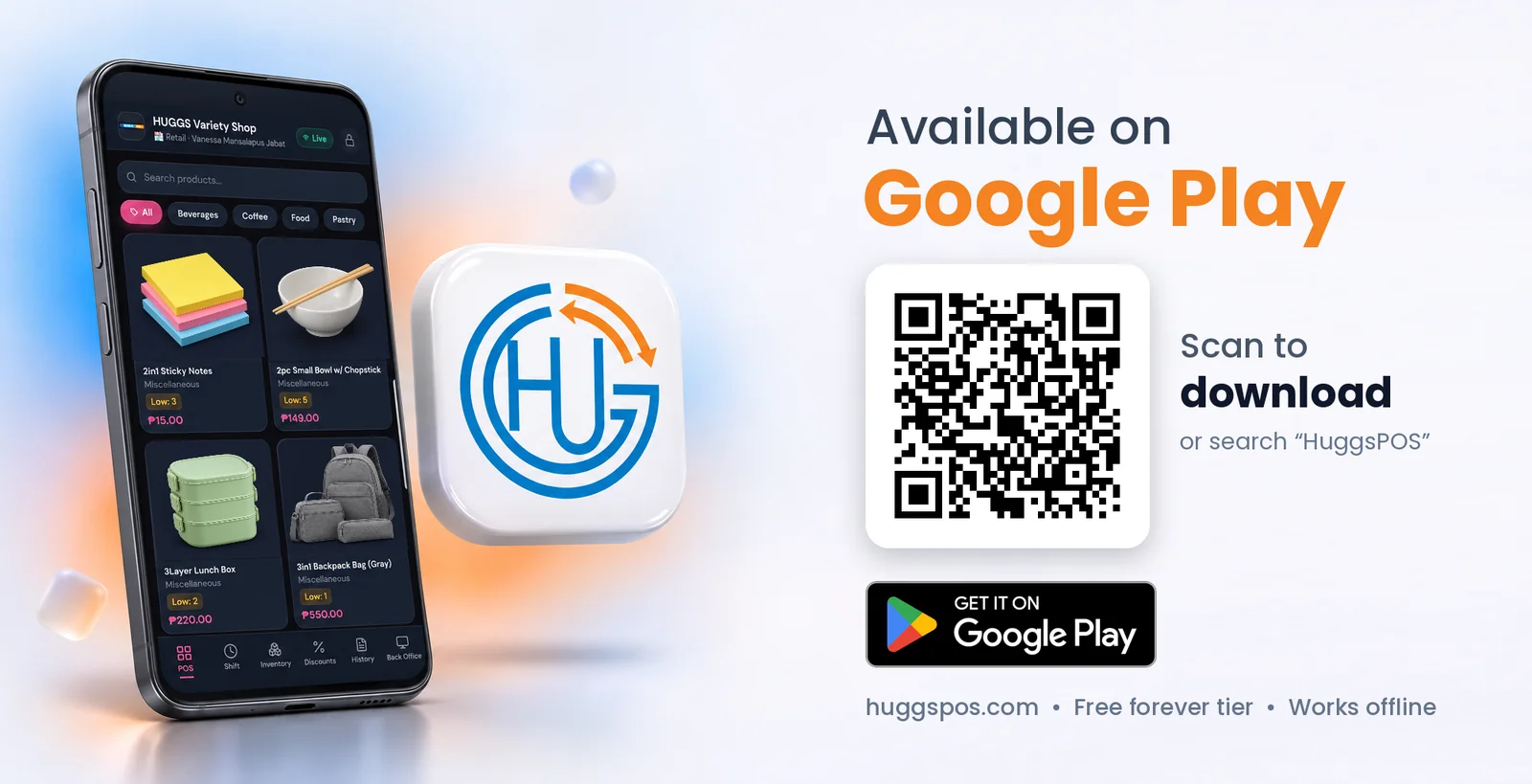
Available on Google Play

Download the official HuggsPOS app for Android. Same store, same items, same sales. Sign in with your HuggsPOS account and everything syncs.

Available on Google Play: the HuggsPOS app on an Android phone, the HuggsPOS app icon, a QR code to download it and the Get it on Google Play badge
Get it on Google Play

On iPhone or a computer? Use HuggsPOS in your browser at huggspos.com/login.

What's New · October 2026

Fresh updates to HuggsPOS

More free features, an easier way to try Pro, and faster upgrades — all live now for every store.

30 days of Pro — free

Every new store gets the full Pro plan for 30 days: reports, employees, customers, discounts and more, with up to 100 items. No payment, no credit card. It starts automatically when you sign up.

Pause your free month

Store closed for a while? Pause your free month from the Subscription page and keep your remaining days. Resume anytime — the clock picks up right where you left off.

+14 more days

Need more time to decide? When your free month ends, claim a one-time 14-day extension of Pro with one tap.

Free plan now includes Items

Add, edit and import your products and categories on the free plan — up to 50 items. Perfect for small sari-sari stores getting started.

Instant QR Ph payments

Upgrade right inside the app: scan the QR Ph code with GCash, Maya or your bank app and Pro unlocks automatically. No more sending screenshots.

Sell on Lazada

The new Marketplace tool checks which of your products are ready to list and exports a Lazada-ready upload file in one click (Pro).

Start your free month

Plus: a fresh new HUGG'S POS logo and app icon.

Made For

Works for your store

Whether you sell noodles, coffee, or clothes — HuggsPOS adapts to your business.

🏪

Sari-Sari Store

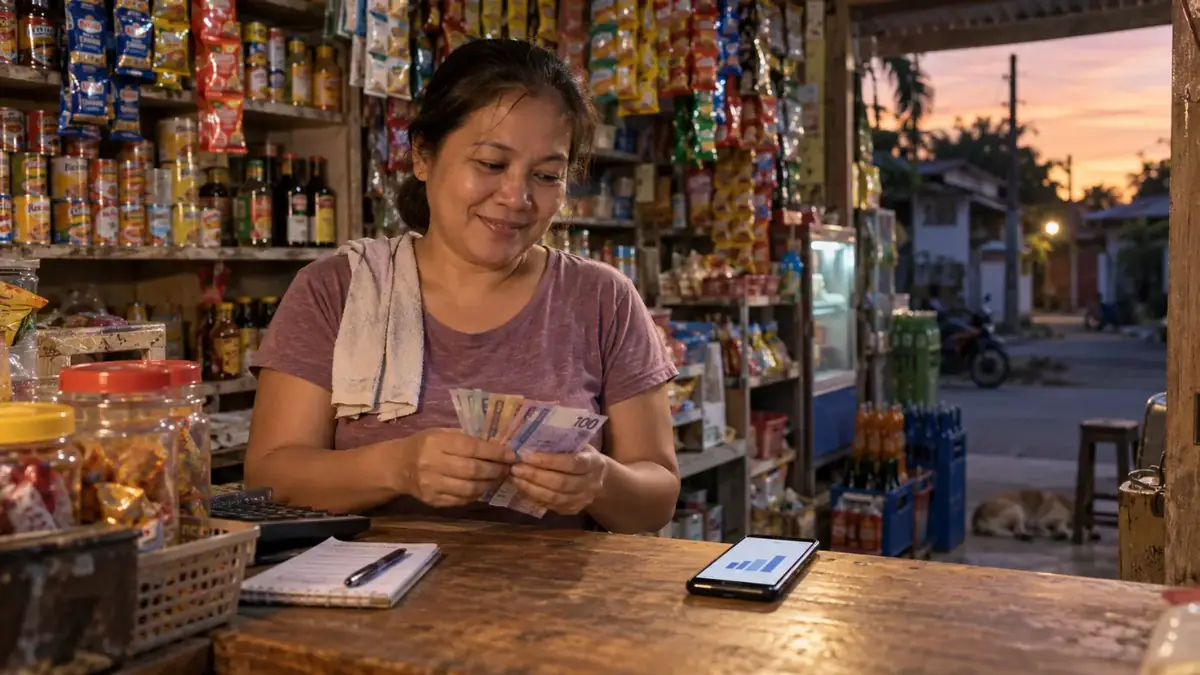
Quick item lookup, peso pricing, simple checkout. Perfect for high-volume, small-ticket sales.

☕

Café & Restaurant

Food & drink menu layout, modifiers, table-friendly design. Works on a tablet on the counter.

🏬

Retail & Other

Clothing, hardware, electronics, beauty products — full inventory and employee management.

Features

Everything you need
out of the box

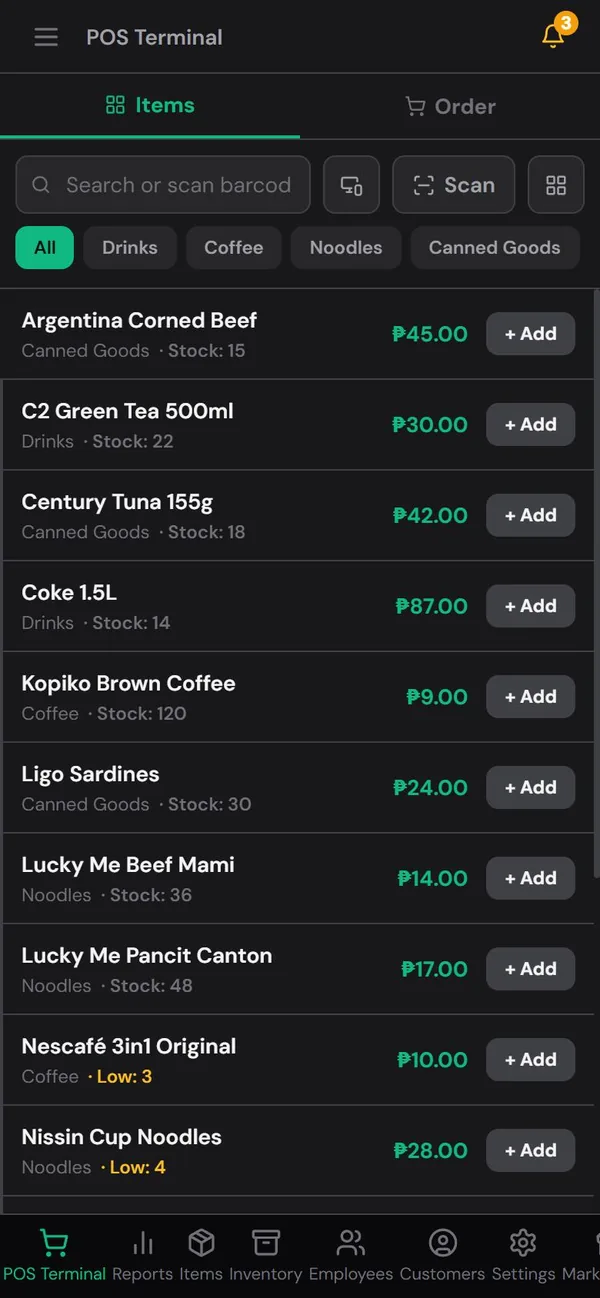
Classic list Sari-sari stores and groceries: fast rows, scan or tap to add.
Real screens from a demo store. Tap the image to enlarge.

POS Terminal

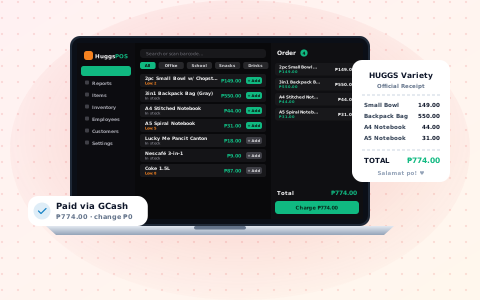
Fast and clean checkout. Add items, apply discounts, accept cash or digital payment, print receipts.

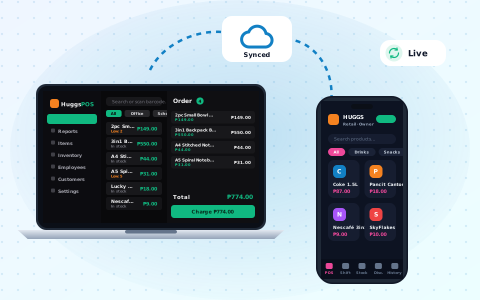
Real-Time Cloud Sync

Sales, inventory, and employee data sync instantly across all your devices via Firebase.

Inventory Management

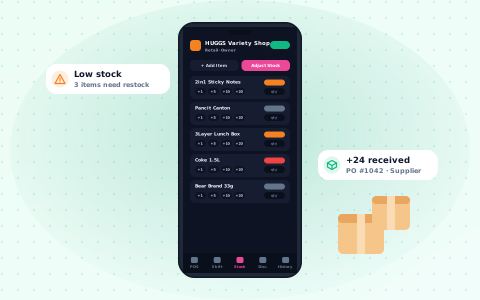
Track stock levels, set low-stock alerts, manage purchase orders and suppliers.

Employee Management

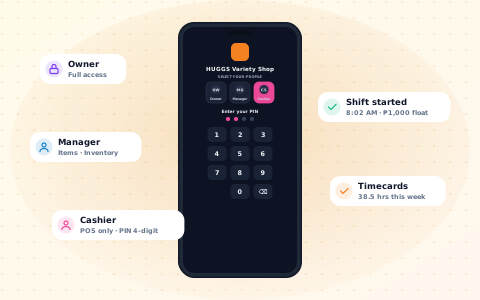
Add staff, assign roles (owner/manager/cashier), track shifts, and set PIN codes for quick login.

Sales Reports

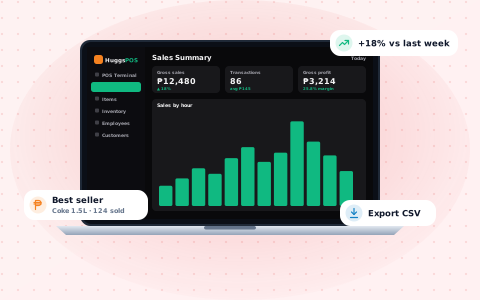
Daily, weekly, monthly reports. Sales by item, category, employee, or payment type. Export receipts.

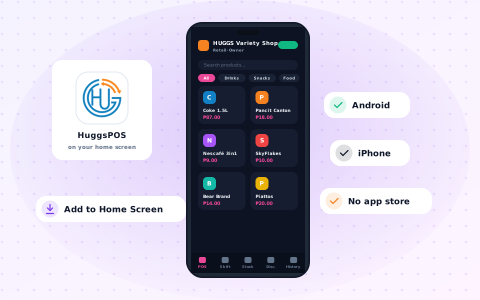
Mobile App (PWA)

Get the Android app on Google Play, or add it to your iPhone home screen from the browser.

Customer Database

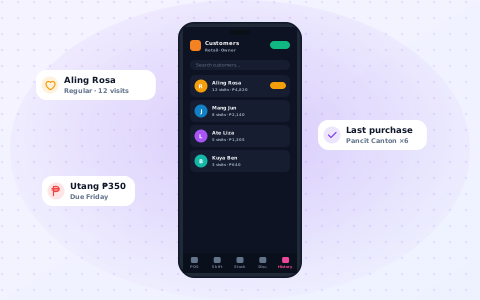
Save customer profiles, track purchase history, and build loyalty with your regulars.

Multi-User Access

Owner, Manager, and Cashier roles. Each staff member logs in with their own PIN on shared devices.

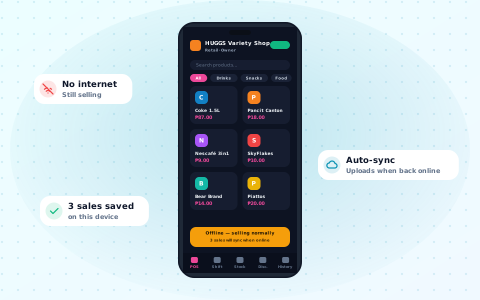
Offline-Ready

Keep selling even without internet. Data syncs automatically when you're back online.

About

What is HuggsPOS?

HuggsPOS is a cloud-based Point-of-Sale (POS) system built specifically for small and medium businesses in the Philippines. Created by PH Website Builders, it gives Filipino entrepreneurs access to modern POS technology without the high cost of traditional cash registers or imported POS hardware.

No expensive hardware needed

Unlike hardware-based POS systems that cost ₱15,000–₱50,000 or more, HuggsPOS runs entirely in a web browser. Use your existing phone, tablet, or laptop — no special equipment required.

Get it on Google Play

Android users can download the HuggsPOS app on Google Play. On iPhone, install it from the browser onto your home screen. Works like a native app.

Who is HuggsPOS for?

Pick your store type during signup and get pre-loaded categories & products instantly.

🛒 Sari-sari & Grocery ☕ Café & Restaurant 🔨 Hardware & Construction 💇 Salon & Beauty 💊 Pharmacy & Health 🍞 Bakery & Pastry Shop 🥬 Market & Palengke 📱 Electronics & Gadgets 🛍️ Retail & Clothing 📦 Other
HuggsPOS supported store types: Sari-sari stores and grocery shops with fast list-view checkout optimized for high-volume, low-price items. Cafés and restaurants with grid-view POS and menu categories. Hardware and construction supply stores with categories for cement, lumber, tools, and building materials. Salons and barbershops with service-based items like haircuts, treatments, and styling. Pharmacies and drugstores with OTC medicine, vitamins, and personal care products. Bakeries and pastry shops with bread, cakes, and pastries with stock tracking. Wet markets and palengke vendors with vegetables, fruits, meat, and fish sold by weight or bundle. Electronics and gadget shops with phones, accessories, earbuds, and repair services. Retail and clothing stores with apparel, footwear, and accessories.

Key Features

Everything a small business owner needs to manage day-to-day operations.

HuggsPOS POS Terminal illustration

POS Terminal

Two view modes: visual grid layout for cafes and a fast list layout for sari-sari stores. Supports barcode scanning, discounts, tax calculation, and multiple payment methods.

HuggsPOS Inventory Management illustration

Inventory Management

Add items manually or via CSV import. Track stock quantities, set low-stock thresholds, receive alerts, and manage categories with color coding.

HuggsPOS Employee Management illustration

Employee Management

Three role levels: Owner, Manager, and Cashier. Each staff member logs in with a 4-digit PIN on shared devices or their own email and password.

HuggsPOS Sales Reports illustration

Sales Reports

View sales summaries by day, week, month, or custom range. Break down by item, category, employee, or payment type. Export receipts for recordkeeping.

HuggsPOS Customer Database illustration

Customer Database

Save customer profiles with contact information and purchase history to identify your most valuable customers and build loyalty.

HuggsPOS Offline Support illustration

Offline Support

Continue processing sales even without internet. All data syncs automatically to the cloud when connectivity is restored.

HuggsPOS Real-time Multi-device Sync illustration

Real-time Multi-device Sync

Powered by Google Firebase, all sales, inventory changes, and settings sync instantly across every device connected to your store.

HuggsPOS Mobile App (PWA) illustration

Mobile App (PWA)

Download HuggsPOS on Google Play for Android, or install it from the browser on iPhone and iPad.

Stop losing money on manual tracking

You don't know you need a POS — until you use one.

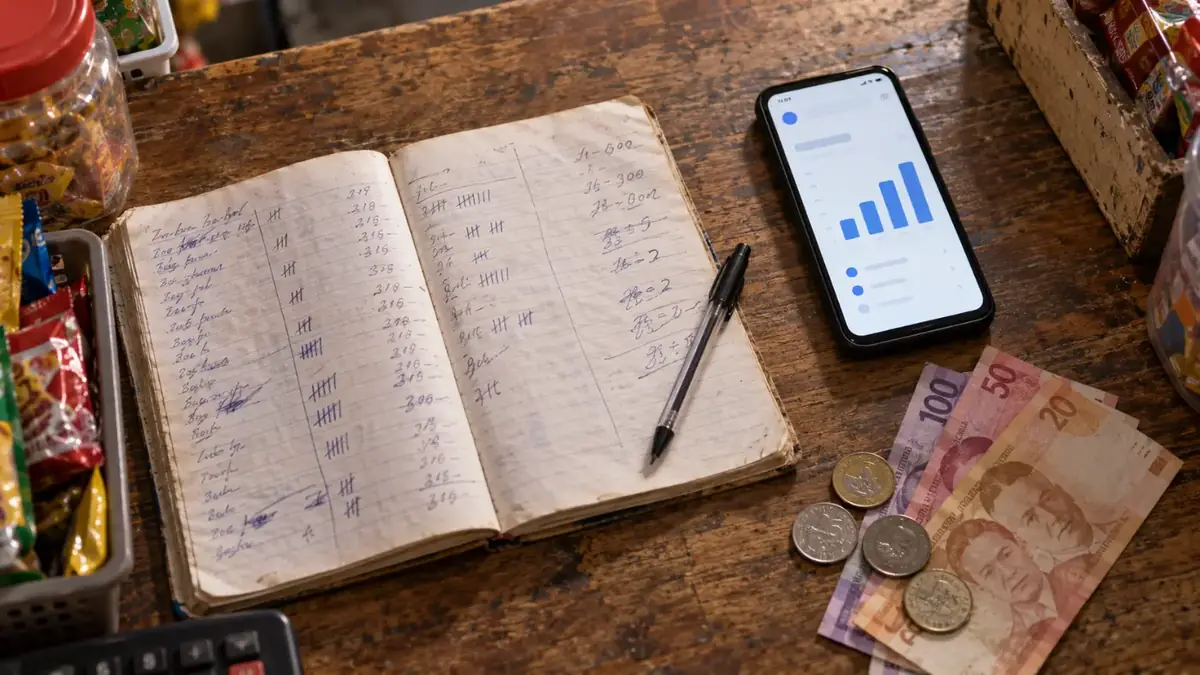
Most sari-sari stores, small cafés, and retail shops still track sales on paper or in their head. That means lost items, wrong change, no idea which products actually make money, and hours spent counting inventory. A POS fixes all of that — and HuggsPOS is free.

✗Traditional POS hardware: ₱15,000–₱50,000 upfront + monthly fees
✗Pen and paper: No reports, no stock alerts, no proof of sales
✓HuggsPOS: Free, runs on your phone, set up in 2 minutes

Start free. Upgrade anytime.

₱0

forever · no credit card

Pro: ₱350/mo

Pro Yearly: ₱2,990/year

Pay via GCash & Maya

Pricing

Start free.
Upgrade when you're ready.

Every new store starts with 30 days of Pro, free. Pay with QR Ph, GCash or Maya. No subscription traps. Cancel anytime.

Free

₱0

forever

  • ✓ POS Terminal
  • ✓ Items & Categories NEW
  • ✓ Up to 50 items
  • ✓ Inventory tracking
  • ✓ Mobile app
  • ✓ Sales reports (last 7 days)
  • ✗ Full sales history
  • ✗ Employee Management
  • ✗ Customer Database
Start Free
Best Value · Save 29%

Pro Yearly

₱2,990

per year

₱4,200 · only ₱249/month

  • ✓ Everything in Pro
  • ✓ Save ₱1,210 vs. paying monthly
  • ✓ One payment for 12 months
  • ✓ Free updates all year
  • ✓ Priority support
Start free, then go Yearly

How to Upgrade

1

Open Subscription in the app

Choose Pro or Business, monthly or yearly

2

Scan the QR Ph code

Pay with GCash, Maya or any bank app that supports QR Ph

3

Pro unlocks automatically

No screenshots, no waiting — your plan activates as soon as the payment goes through.

Prefer manual GCash? Message us on WhatsApp and we'll send you a license key.

Video FAQ

Mas madaling panoorin

Short videos that answer the most common questions, each with the steps to follow.

Common questions

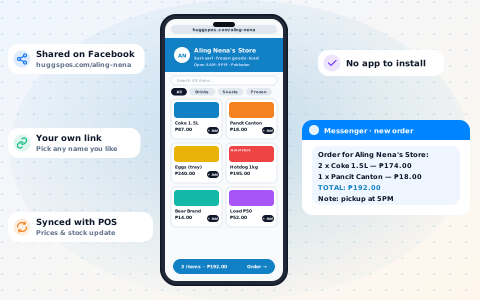
Yes. Every store can claim its own store link, like huggspos.com/your-store. It shows your products, photos, prices and whether each item is in stock. Customers add items to a cart and send the order to you by Messenger, Viber or SMS as a ready-made message. Your costs, exact stock counts and sales are never shown. Set it up in Settings → Store Link.
Yes. Every new store gets 30 days of the full Pro plan for free (up to 100 items) — no payment and no credit card needed. It starts automatically the first time you log in after verifying your email.
Yes. Go to Subscription in the app and tap Pause free month. Your remaining days are saved, and you stay on the Free plan while paused. Tap Resume anytime to continue with exactly the days you had left.
You can claim a one-time 14-day extension of Pro with one tap. After that, your store moves to the Free plan — POS, inventory, and items & categories (up to 50 items) — and nothing is deleted. Upgrade anytime by scanning a QR Ph code in the app.
No. HuggsPOS works on any device with a browser — your phone, tablet, or computer. On Android you can download the HuggsPOS app from Google Play; on iPhone you can install it from the browser.
Yes. All data is stored on Google Firebase — the same infrastructure used by major apps worldwide. Your data is encrypted, backed up automatically, and only accessible by your account.
Yes. The store owner sets up employee profiles and assigns each staff member a 4-digit PIN. Staff log in with their PIN on the shared device — no need for separate email accounts per staff.
HuggsPOS is built with offline support. You can continue processing sales without internet. When your connection is restored, all data syncs automatically to the cloud.

Yes, using a POS system is completely legal in the Philippines. A POS (Point-of-Sale) system is simply a tool for recording sales transactions, managing inventory, and tracking business operations. There is no law that prohibits businesses from using POS software.

The legal question people often confuse with POS usage actually relates to issuing official receipts and invoices. Under Philippine tax law, the Bureau of Internal Revenue (BIR) requires that businesses registered as VAT or non-VAT taxpayers issue BIR-registered receipts or invoices. Historically, businesses needed BIR-accredited Cash Register Machines (CRMs) or POS machines — meaning the specific receipt-printing hardware had to be registered with the BIR under Revenue Memorandum Order (RMO) No. 10-2005 and related regulations.

However, this requirement applies specifically to the printing of official receipts (OR) and sales invoices (SI) that serve as tax documents — not to the POS software itself. Many small businesses, particularly those below the VAT threshold (currently ₱3,000,000 in annual gross sales), use simplified recordkeeping and are not required to use BIR-accredited POS machines.

In practice, here is how it works for most small businesses:

  • Sari-sari stores, market vendors, and micro businesses — These businesses typically fall below the BIR threshold and are not required to issue official receipts. Using a POS like HuggsPOS for internal tracking is perfectly fine.
  • Small cafés, salons, retail shops — If registered with the BIR, you may need to issue official receipts. You can use HuggsPOS for sales management alongside your BIR-registered receipt booklet or accredited CRM.
  • Larger businesses — Those above the VAT threshold should ensure their receipt-issuing system is BIR-compliant. HuggsPOS can still be used as your operational POS for managing sales, inventory, and employees, while a separate BIR-accredited system handles official receipts.

To summarize: Using POS software is legal. The BIR requirement is about the official receipt/invoice that gets printed and handed to the customer as a tax document. The POS system you use to manage your business internally is a separate matter. Many Philippine businesses use cloud-based POS systems like HuggsPOS for daily operations while complying with BIR receipt requirements through the appropriate channels.

If you need specific legal advice about your business, consult a licensed accountant or BIR-registered tax professional.
HuggsPOS has three plans: a Free tier (₱0, forever) that includes the POS terminal, basic inventory up to 50 items, sales reports for the last 7 days, and the mobile app; a Pro plan at ₱350/month that adds unlimited items, full reports, employee management, and customer database; and Pro Yearly at ₱2,990/year — the same Pro features, save ₱1,210 (about 29% off). No credit card is needed to start. Payments are accepted via GCash and Maya.
HuggsPOS supports 10 store types: Café/Restaurant, Retail Store, Grocery/Sari-sari, Hardware/Construction, Salon/Beauty, Pharmacy/Health, Bakery/Pastry Shop, Market/Palengke, Electronics/Gadgets, and a blank "Other" option for any business. When you create your store, HuggsPOS automatically sets up sample categories and items based on your store type so you can start selling right away.
Yes. On Android, download the HuggsPOS app from Google Play. On iPhone, open HuggsPOS in the browser, tap "Add to Home Screen," and it works like a native app. The mobile app includes the full POS terminal, employee PIN login, and real-time sync with the web version.
Most POS systems available in the Philippines either require expensive hardware (₱15,000–₱50,000 for a touchscreen terminal), charge high monthly fees (₱1,000–₱3,000/month), or require contracts. HuggsPOS is different in several ways: it runs entirely in a web browser so you can use your existing phone or laptop; it has a free forever tier with no credit card required; pricing is in Philippine Pesos (not USD); payments are via GCash and Maya (not international credit cards); and it was built by a Philippine team specifically for Filipino business workflows — including support for sari-sari store fast checkout mode and palengke-style selling.
HuggsPOS supports recording cash, GCash, Maya, bank transfer, and credit/debit card as payment methods. When a customer pays via GCash or Maya, the cashier selects the corresponding payment type at checkout and the sale is recorded accordingly. For upgrading your HuggsPOS subscription (Free to Pro, monthly or yearly), payments are also accepted via GCash and Maya — no international credit card is needed.
Yes. HuggsPOS offers a free forever tier that is specifically designed to work well for sari-sari stores. The free plan includes the POS terminal with a fast list-view checkout mode (optimized for sari-sari stores where speed matters), basic inventory tracking for up to 50 items, and the mobile app so you can run your store from your phone. No credit card or payment is required to use the free tier — you can sign up and start using it within minutes.
⚡

Ready to modernize your store?

Join hundreds of Philippine business owners already using HuggsPOS. Start completely free — no credit card, no hidden fees.

Blog

Tips for running your store

See all articles →